How to Plan an Office Cleanout: A Practical Guide for Los Angeles Businesses

How to Organize and Prepare for an Office Cleanout
An office cleanout touches almost everyone in a business: leadership decides what goes, IT handles equipment, facilities deals with the building and staff need to keep working. Good office cleanout planning keeps all of that moving in the same direction. This guide walks Los Angeles business owners and office managers through the process, from the first walkthrough to the day the removal team arrives.
We’re Rapid Junk Pros, a paid junk removal company serving Los Angeles businesses. When you’re ready for a crew, our office cleanout services in Los Angeles page has prices and booking details.
In this guide
- Why businesses need office cleanouts.
- How to assess the space and build an inventory.
- How to sort items into keep, relocate, remove and dispose.
- Preparing furniture, cubicles and electronics.
- Scheduling around operations, pricing, questions to ask and mistakes to avoid.
On this page
- Common Reasons Businesses Need an Office Cleanout
- Assess the Office Before You Start
- Create an Inventory of Furniture and Equipment
- Sort Items to Keep, Relocate, Remove or Dispose Of
- Prepare Desks, Chairs, Cubicles and Conference Furniture
- Organize Office Electronics and Equipment
- Plan the Cleanout Around Business Operations
- Preparing for an Office Relocation or Downsizing
- How Office Cleanout Pricing Is Influenced
- Questions to Ask a Junk Removal Company
- Common Office Cleanout Mistakes
- Prepare the Office Before the Removal Team Arrives
- When to Request a Professional Office Cleanout Estimate
- Office Cleanout Planning FAQs
Common Reasons Businesses Need an Office Cleanout
- Relocating. Moving to a new suite or building, and not everything is coming along.
- Downsizing. Giving up part of a lease or moving to a smaller space.
- Going hybrid or remote. Fewer workstations are needed than before.
- Renovating. Contractors need empty rooms before work begins.
- Replacing furniture. New desks and chairs are on order, and the old ones need to go.
- Closing a location. The space must be returned to the landlord clear and clean.
- Clearing storage. Storage rooms are full of files, boxes and equipment no one uses.
Whatever the reason, the earlier you start office cleanout planning, the less you’ll pay in rushed decisions and extra trips.
Assess the Office Before You Start
Walk through every room with the person who will make final decisions. Note:
- Which rooms and floors are involved.
- Large or heavy items, such as conference tables, safes and lateral files.
- Cubicles or workstations that are bolted down or wired in.
- Equipment that holds data, such as computers, copiers and servers.
- Elevator, stair and loading-dock access.
- Your lease end date, move date or contractor start date.
This walkthrough gives you the scope you’ll need for every other step.
Create an Inventory of Furniture and Equipment
A simple spreadsheet or list saves time and arguments later. For each item, record the room, the item, the quantity and its destination. Photos help too. A good inventory lets you:
- Get an accurate removal estimate.
- Give movers a clear list of what’s coming.
- Track IT equipment that must be wiped first.
- Show leadership exactly what’s leaving.
Sort Items to Keep, Relocate, Remove or Dispose Of
| Category | Examples | Next step |
|---|---|---|
| Keep in place | Items staying in the current office | Mark clearly so they aren’t removed |
| Relocate | Furniture and equipment moving to the new space | Label for movers by destination room |
| Sell or donate | Good-condition chairs, desks and shelving | Arrange sale or donation before removal day |
| Remove | Worn furniture, broken chairs, old files and clutter | A junk removal crew hauls it away |
| Special handling | Chemicals, batteries, bulk toner | Set aside; these can’t go in a junk truck |
Use colored labels or tape that match these categories so everyone, including movers and the removal crew, can tell items apart at a glance.
Prepare Desks, Chairs, Cubicles and Conference Furniture
- Empty every drawer and cabinet. Staff should clear personal items well before removal day.
- Remove keys from filing cabinets or leave them unlocked and empty.
- Disconnect cubicle wiring. Workstations wired to building power or data should be disconnected by facilities or an electrician.
- Note bolted items. Anything attached to walls or floors should be released or flagged in advance.
- Clear conference rooms. Remove wall-mounted screens and whiteboards if they’re coming down, and stack chairs.
Our furniture removal page explains more about large pieces.
Organize Office Electronics and Equipment
Electronics need the most planning, because many hold business and customer data.
- List every device: computers, laptops, monitors, printers, copiers, phones and servers.
- Decide which devices are moving and which are being retired.
- Wipe or remove drives from retired devices. Your IT provider should handle this; a junk removal company hauls equipment but doesn’t certify data destruction.
- Check leased equipment. Copiers and some printers may need to go back to the leasing company instead.
- Group retired electronics together so they can be handled separately from general junk.
California treats many electronics as universal waste. See our electronics disposal page for what we take.
Plan the Cleanout Around Business Operations
- Talk to building management first. Ask about elevator reservations, loading-dock times, protective padding and any vendor paperwork they require.
- Pick the least disruptive time that your building allows, and confirm availability with the removal company.
- Work in phases if part of the office must stay in use.
- Keep walkways clear and tell staff which areas will be busy.
- Name one point of contact who can approve the list and price on site.
Preparing for an Office Relocation or Downsizing
| When | What to do |
|---|---|
| 6–8 weeks out | Walk through, build the inventory and decide what’s moving |
| 4–6 weeks out | Arrange sales and donations; book movers |
| 2–3 weeks out | Send photos for an office cleanout estimate and book a date |
| 1 week out | Confirm building requirements and the on-site contact |
| 1–2 days out | Empty drawers, wipe devices, disconnect wiring |
| Pickup day | Walk the crew through and confirm the price |
Many businesses schedule the junk removal right after the movers leave, so the old space can be cleared and swept before the landlord’s walkthrough.
How Office Cleanout Pricing Is Influenced
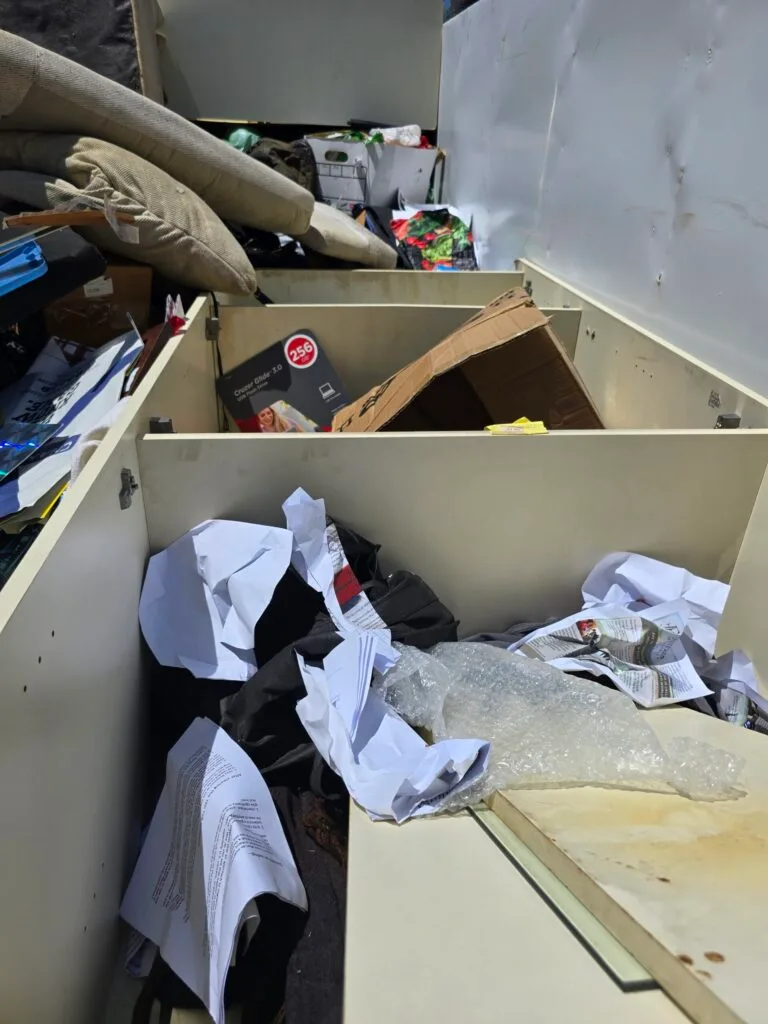
Most junk removal companies price by volume. At Rapid Junk Pros, office cleanouts are priced by how much space your items take in a 16-foot truck, and the price is confirmed before loading. Other factors include:
- Volume: how much of the truck your items fill.
- Labor: taking apart large furniture or workstations.
- Access: floors, elevators and distance to the truck.
- Weight: steel cabinets, safes and stone tops.
- Trips: large offices may need more than one load.
See our junk removal pricing factors for more detail.
Questions to Ask a Junk Removal Company
- How is the job priced, and when is the price confirmed?
- Is labor included for floors, elevators and long carries?
- Can you take apart large furniture or workstations?
- What items can’t you take?
- How do you handle electronics?
- Can you work within our building’s loading and elevator rules?
- What do you need from our building or IT team before pickup?
- Who needs to be on site?
You can ask us any of these at 240-413-0233.
Planning an office cleanout? Send photos and get a free estimate before you decide.
Common Office Cleanout Mistakes
- Starting too late. Rushed decisions lead to hauling things you needed or paying to move things you didn’t.
- Forgetting data. Devices leave before drives are wiped.
- Ignoring building rules. A missed elevator reservation can delay the whole job.
- No clear labels. Movers take junk, or the crew removes items that were staying.
- Leaving drawers full. Files and personal items get lost.
- Mixing in hazardous products. Chemicals and batteries need separate handling.
- Forgetting leased equipment. Some copiers and printers must go back to the leasing company.
Prepare the Office Before the Removal Team Arrives
- Confirm the elevator, loading dock and parking for the truck.
- Make sure everything leaving is labeled and drawers are empty.
- Disconnect wired workstations and retired electronics.
- Clear hallways and doorways along the route.
- Protect floors and walls where your building requires it.
- Have your point of contact ready to walk the crew through.
When to Request a Professional Office Cleanout Estimate
Request an estimate as soon as you know the rough scope, even if the date isn’t set. Photos of each room are enough for most jobs. An early number helps you budget, decide what to sell or donate and lock in a date that fits your move or lease.
When you’re ready, visit our office cleanout services page, call 240-413-0233 or email contact@rapidjunkpros.com. For other business jobs, see our commercial junk removal page.
Office Cleanout Planning FAQs
How far ahead should we start planning?
Six to eight weeks is comfortable for a relocation or closure. Smaller cleanouts can be planned in a week or two.
Do junk removal companies shred documents?
Rapid Junk Pros doesn’t shred documents or certify data destruction. Shred papers and wipe drives before pickup.
Can a cleanout happen while we’re still working?
Often, yes. Phasing the job and choosing a quieter time keeps most of the office usable.
What’s the best way to get an accurate estimate?
Send photos of each room, list large items and describe elevator and loading access.